

VanceAI Photo Editor is a powerful and user-friendly AI
image editor designed to rapidly and easily enhance digital images. This
program, which comes with a plethora of editing tools and capabilities, allows
users to change their photographs and create visually appealing material.
VanceAI Photo Editor accelerates the editing process with its easy user
interface and efficient design, making it an excellent alternative for social
media content creators. You can further edit your photographs with VanceAI other tools if necessary.
To maintain a consistent and visually appealing online
presence, social media content creators frequently need to alter and enhance
their photographs rapidly. VanceAI Photo Editor provides various advantages
that help content creators achieve their objectives more efficiently.
VanceAI Photo Editor Synopsis
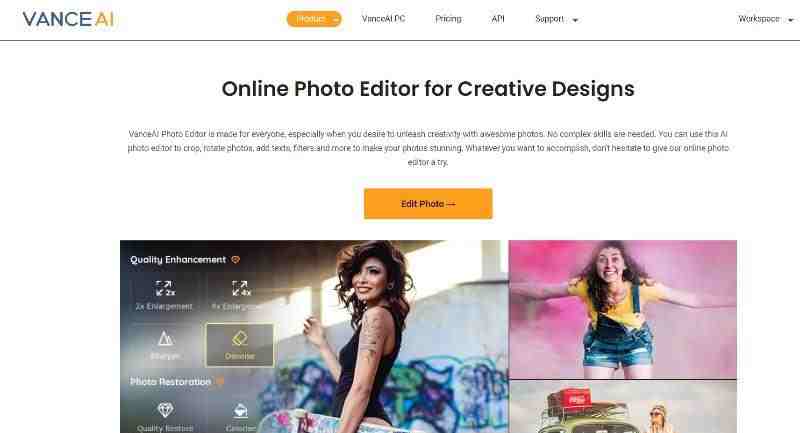
VanceAI Photo Editor is a sophisticated image editing tool created by VanceAI that uses AI technology to automate and simplify the editing process. The Photo Editor allows users to easily alter their photographs because of its extensive feature set and user-friendly interface. One noteworthy feature is the built-in image enlargement capabilities, which use AI technology to automatically upscale images without sacrificing clarity. The Photo Editor has a complete range of tools designed to meet a variety of editing requirements. Users may easily access these tools within the Workspace, whether they are cropping, resizing, or deleting backdrops.
In the case of a social media content creators, they must
edit a large number of photographs quickly while maintaining a consistent and
high-quality style. VanceAI Photo Editor becomes a crucial tool in their
workflow at this point. For example, the content creator may elect to eliminate
distracting backgrounds from product photographs in order to provide a
consistent and clear presentation. They may quickly access the background
removal function within the VanceAI Photo Editor Workspace. The AI technology
intelligently removes the background, leaving the subject isolated and ready to
be placed on a neutral or bespoke background, by simply selecting the parts they
wish to preserve or remove.
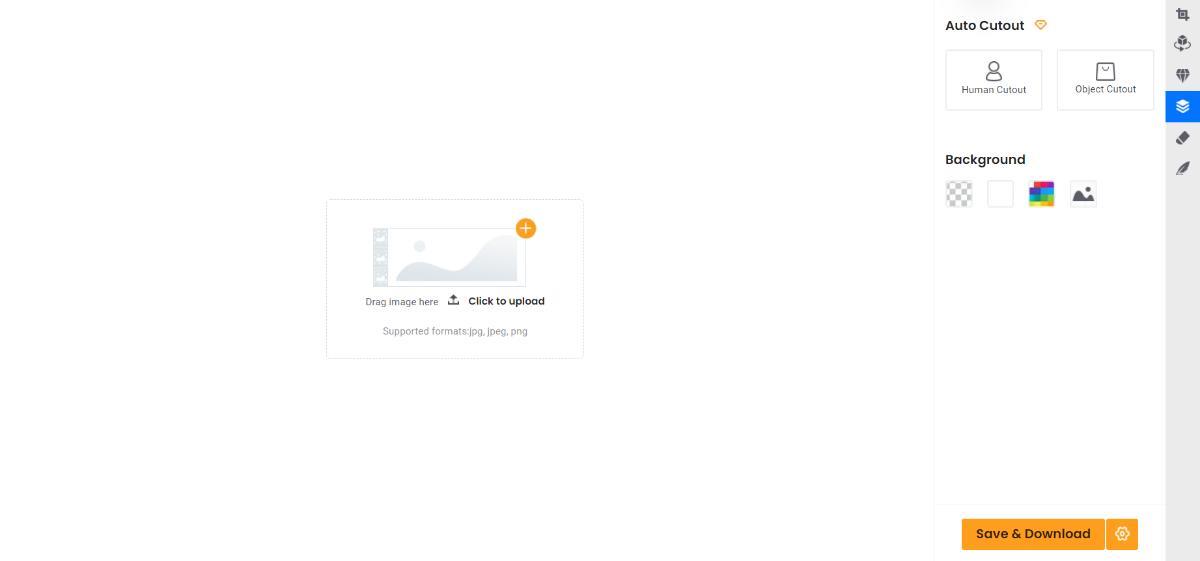
The AI Photo Editor program combines core editing features
with sophisticated capabilities. First and foremost, VanceAI Photo Editor
provides a complete set of core editing functions to meet the needs of social
media content providers, graphic designers, casual users, and others. This
powerful tool makes it easy to crop and resize photographs, rotate them to the
correct position, and remove unwanted items with the brush tool.
Furthermore, the editor includes a simple set of drawing and
markup tools that allow users to enhance photos with annotations, highlights,
and graphical features. Furthermore, VanceAI Photo Editor allows users to
customize their images with captions, quotes, or other literary components
based on their preferences.
VanceAI Photo Editor's Advanced Tools and Features
VanceAI Photo Editor has powerful features that make use of
AI technology. Users can use the AI picture enlargement functionality to
increase the size of their images by 2x or 4x while preserving fine details and
clarity. The picture sharpening tool enhances image sharpness by emphasizing
minute details and delivering greater definition to the topic. Similarly,
advanced technologies may assist you in creating the best visuals for your
social media with a few clicks and seconds.

Other AI image editor features, such as photo restoration and colorization tools, can
assist many creative content makers in transforming their image's aesthetics.
You may also change your black-and-white images into something colorful to give
visitors a new viewpoint. There are numerous channels that use historical
pictures for a variety of purposes. It can be refreshing to see such
photographs in color. Furthermore, the backdrop removal tool makes it easier to
remove backgrounds from photographs, allowing for easy subject isolation or
seamless customization.
Image Enhancement While Maintaining Quality
To edit photographs online, follow this guide for VanceAI
Photo Editor.
Step 1: Navigate to the Photo Editor webpage by clicking the
provided link. To enter the Workspace, locate and click on the "Edit
Photo" option on the homepage.
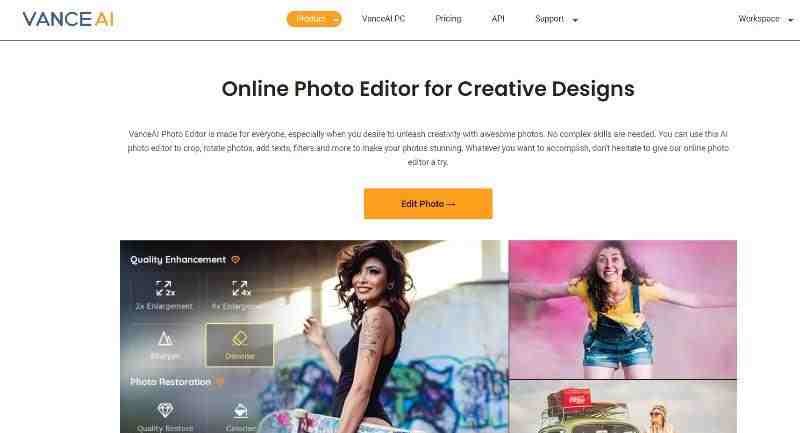
Step 2: Continue by uploading the selected image. Look for
the diamond-shaped symbol on the right side, which is the third choice on the
list, to access the image enlargement feature. Click on it to display the 2x
and 4x magnifying options. Simply choose your appropriate enlargement ratio.

Step 3: Once you've made your pick, the program will begin
processing the image automatically. The effect of the enlargement will be seen
in a matter of seconds. To receive the altered image, select the "Save
& Download" option, making sure you have the completed version.

VanceAI Image Upscaler Increase the Size of Images by 8x
VanceAI Image Upscaler is a unique tool offered by VanceAI
that boasts outstanding precision when it comes to image upscaling. The
internet edition allows users to upscale their photographs by up to 8 times,
while the PC version expands this power to an amazing 40 times, allowing for
significant enlargement without losing image quality.
Step 1: To begin, access AI Image Enlarger by clicking on
the provided link, which will grant you online access to the tool. Once there,
select the "Upload Image" option to open the Workspace, which is now
ready for your input.
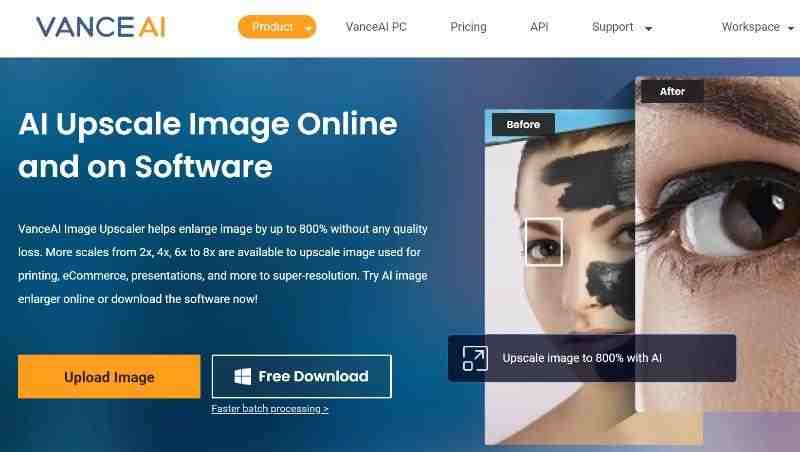
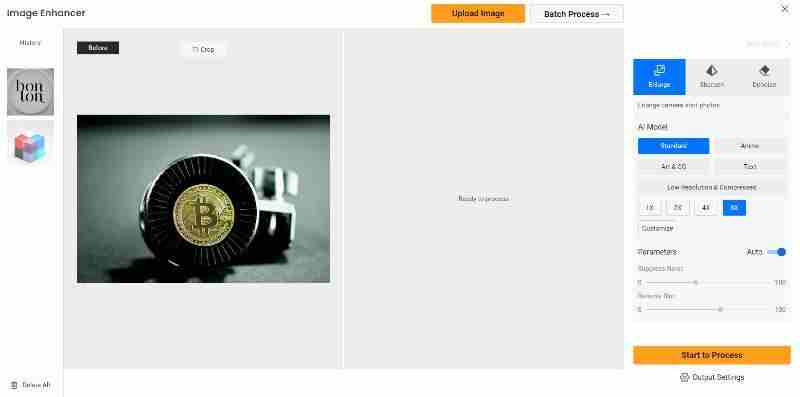
Step 2: The initial step within VanceAI Enhancer Workspace
is to upload the required image. After uploading the image, you may use the
available settings to determine the degree of upscaling and change other
essential aspects. After you've entered the parameters, click "Start to
Process" to begin the upscaling process.
Step 3: After a few seconds of processing, the finished
upscaled image will be presented on the screen. To get a copy of the altered
image, click "Download Image" and save it to your device.

Pricing for VanceAI
VanceAI provides customers with a flexible and
cost-effective pricing structure, guaranteeing that its powerful image editing
capabilities are available to everybody. Users receive a monthly allocation of
3 image credits upon registration, which can be used across all VanceAI tools
including the newly released AI art generator. These credits are used as cash while using the editing
features. Paid options beginning at $4.95 per month are available for consumers
needing enhanced functionality and a higher usage volume. These plans contain
100 picture credits as well as exclusive services such as bulk processing,
quicker processing times, and queue priority access. VanceAI offers a variety
of additional plans at various pricing ranges that cater to a wide range of
user needs by delivering a higher quantity of picture credits.
VanceAI also provides specialized subscription choices for
sophisticated users with unique needs, such as the API package and software
edition. These choices cater to individuals looking for higher functionality
and increased customization options. Please keep in mind that prices may change
in the future.
VanceAI Provides Additional Options
VanceAI is a developing platform that provides a number of
methods through which you can access everything it has to offer.
VanceAI PC is a
powerful desktop software solution that improves the image editing experience.
Users can access the basic features and tools of VanceAI directly on their
computer by using VanceAI PC. This standalone software ensures a simplified and
fast editing process by providing users with easy access to advanced features
including image enlargement, denoising, sharpening, and more.
VancePDF.com, on the other hand, focuses on the special
needs of dealing with PDF files. This dedicated platform has a robust set of
capabilities, such as choices for merging, dividing, compressing, and
safeguarding PDFs. VancePDF.com is a trusted solution for individuals and
corporations because to its user-friendly layout and powerful collection of
functions.
Conclusion
VanceAI Photo Editor stands out as a robust and
user-friendly tool with a plethora of image editing and enhancing features. Its
user interface design offers easy accessibility, allowing users to easily
explore and employ many tools to create visually appealing images. The tool can
be improved further by adding new tools and improving some of the existing ones.
For example, it may have more cropping ratio options and be compatible with
more social networking networks.
Share:


